How to order?
There are several ways how to order parts in our online shop:
1. Search by OEM Part Number (original equipment manufacturer part number)
If you know OEM Part Number, you can find part in our catalog easily just using search box (top-right corner of the web page).

For example, you are looking for part with number 12140-05H00-000. You should type (or just copy and paste) this number in the search box and press “Enter”. Page with search results will be uploaded.

Then click on the web-link with part name to view full information.

This page contains information on OEM Part Number, full name (sometimes it is in Japanese or in Russian) and price. To place order just choose acceptable supplier (warehouse) listed on the page and add part to your shopping cart.
To check part in the catalogue please press link “Show vehicles where ...”, find model of your vehicle and click it.

2. Search by model and year of manufacture.
Catalogue of MegaZip online shop is divided by vehicle type. Each type is represented by several manufactures. For example, in the Motorcycle category you can find such manufacturers as Polaris, Suzuki, Kawasaki, Honda, and Yamaha. If you need, as an example, inlet valve for Suzuki motorcycle AN400 manufactured in 2007 year, on the main page you should find Motorcycle category and choose Suzuki in the drop-down menu.

Then choose
necessary model from the list.

Next step is checking specification/package and year of manufacture.

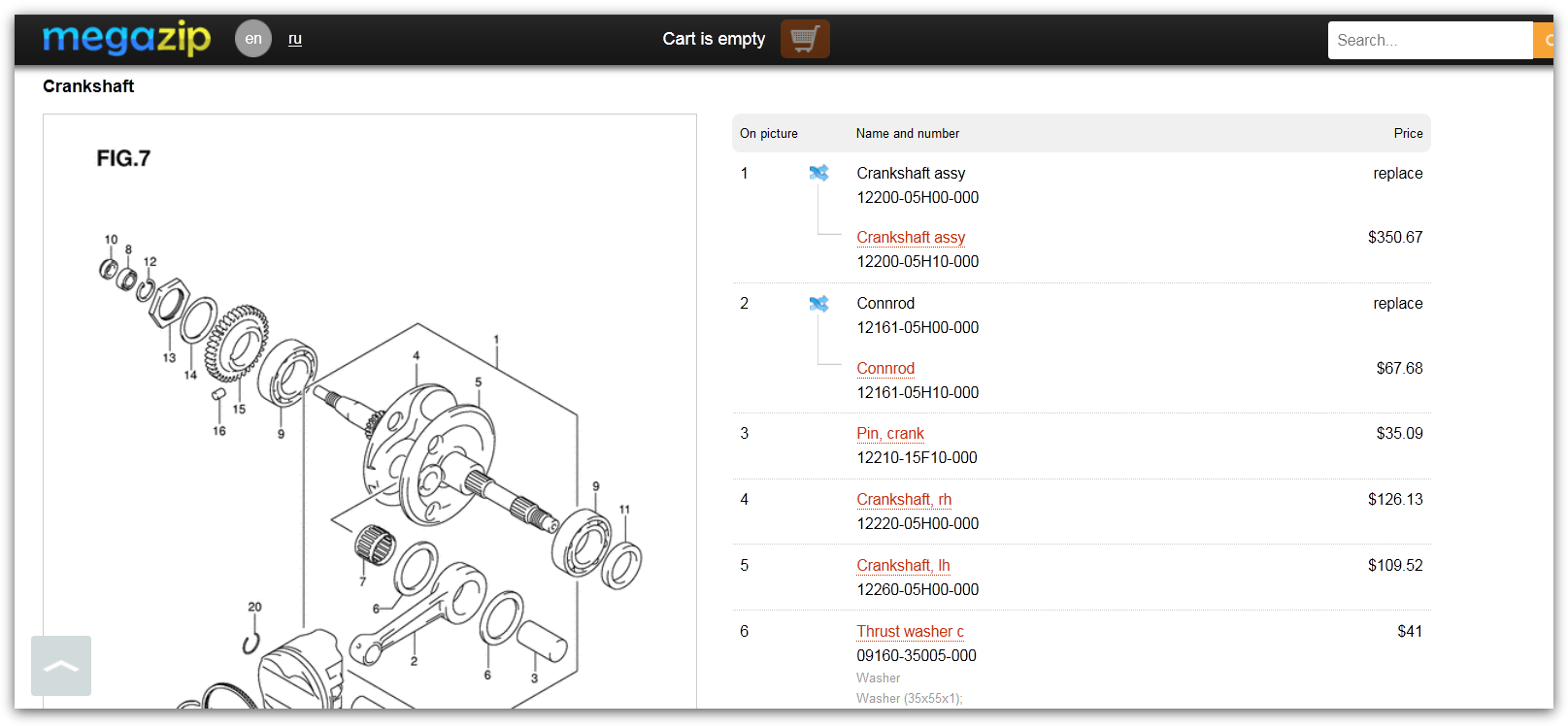
Then choose assembly that contains part which you are looking for in the detailed catalogue.

And then necessary part.
Adding parts to shopping cart.
To order you just need to add parts to your shopping cart. Please be noted that prices for the same parts, but from different suppliers may vary. You can choose any supplier you want, but if you order several parts, it is better to order them from one supplier to reduce delivery cost.

After you press “Add to cart” you will be able to see all parts in your shopping cart from any page of the web-site.

Checkout
Please press “Place order” button on the top of the page. If you have already signed in, you will be redirected to confirmation page. If you are new customer, you need to indicate your e-mail address in order to complete checkout.
Ordered parts will be delivered by courier to your address. You just need to indicate receiver name and address where you want parts to be delivered. You can choose delivery by EMS (Express Mail Service) or by DHL.

Payment.
On below picture you can see example of payment page.

We will send automatic order confirmation and order number to your e-mail address.

Your order is placed successfully! You can check your orders at any time through your personal account. If you have any questions concerning your order, you can easily contact our managers. Our office hours are: Monday - Friday, 2AM - 11AM (Moscow time).
Thank you!


